

The best, or optimal photo size will be influenced by what platform you’re on. In this article, I share the best settings for each platform.
WordPress Websites
I recommend uploading photos at 2000 pixels on the longest edge.
This size can then be shown if you’re using the photo as a full width or full screen size.
For blog posts, you can adjust WordPress setting so that the size shown is small.
For blog posts, usually 1500 pixels on the longest edge works well, but it does depend on your photography style.
For super sharp and bright styles, 1500px would be the minimum I’d recommend, and if you’re style is light and airy, you may be able to get away with 1200px on the longest edge.
I recommend experimenting with a few photos in different sizes first.
How to Adjust WordPress Default Blog Sizes
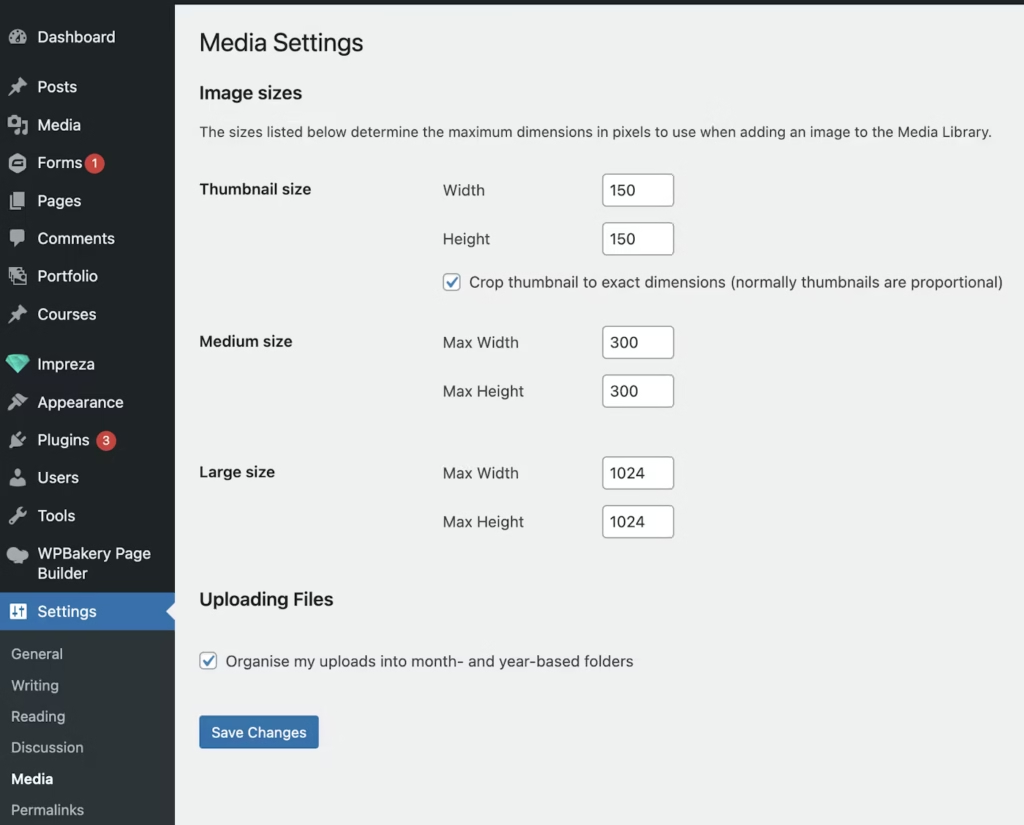
- On the menu bar on the left, scroll down until you get to ‘settings’
- Locate and click on ‘media’
- The default settings will match those below – these are too small for displaying professional photos.
- We’re going to increase the resolution of each starting with thumbnail size
- Adjust the thumbnail size to 300 in both boxes.
- Adjust the medium size to 1024 in both boxes
- Adjust the large size to 1500 in both boxes
- The large size is the default size applied to blog posts – this can be adjusted for each individual photo in your blog, but it’s faster to apply the correct size to ‘large’ photos throughout your website.
Showit Websites
Showit image recommendations are different for the Showit part and WordPress part of your website.
For the Showit part, Showit recommends you upload photos at a whopping 3500px on the long edge – and they take care of the rest of the compression and resizing for different sized screens.
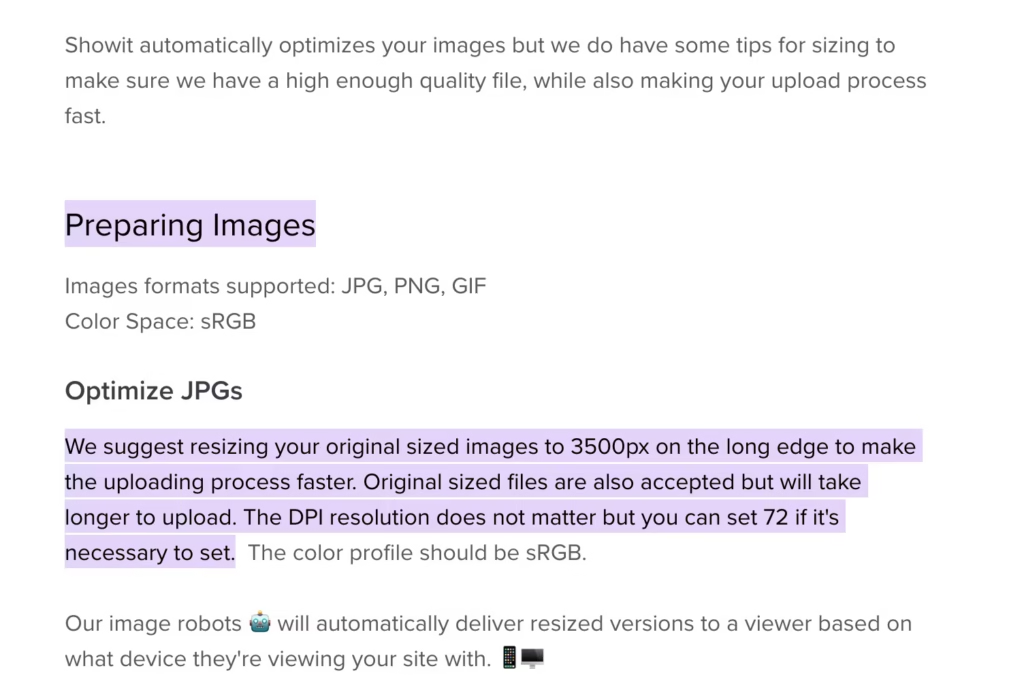
When it comes to the WordPress part, showit recommend you ensure the long-edge size of the photo is larger than your blog width.
This article from Showit has a guide: https://learn.showit.co/en/articles/1991409-preparing-your-images-for-showit
Squarespace Websites
Squarespace and Wix both have built in image optimization to help improve performance and speed up your website.
I find uploading photos at 2000px on the longest edge works well, but if you’re not happy with how they look with your style, you may want to experiment with different sizes. 1500px should be the minimum size uploaded to Squarespace.
Squarespace official recommendation is to upload photos between 1500-2500px, and ideally 500kb or less.
Link to official Squarespace help center doc: https://support.squarespace.com/hc/en-us/articles/206542517-Formatting-your-images-for-display-on-the-web?platform=v6&websiteId=5b4f388ca9e0280bd9dba89b
Wix Websites
Wix recommend images uploaded are 2560×1440 in size exactly. Wix will adjust your image resolution automatically to match screen size. In the past, this has been a little harsh and high-res and sharp images can look lower in quality. You may want to experiment with a lower size and test out how it looks on different size screens.
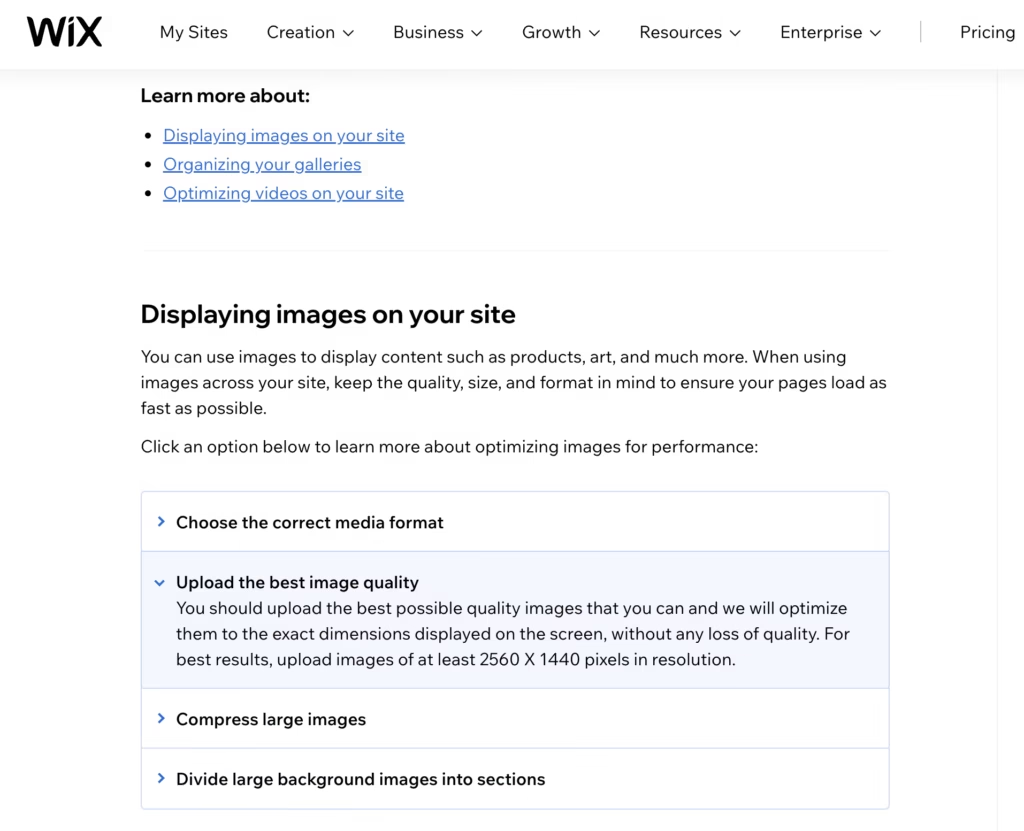
Due to this, I’d recommend sticking to their recommended sizes.
Link to official Wix help doc: https://support.wix.com/en/article/site-performance-optimizing-your-media